News / Patch Notes
Patch NotesPatch Notes — Nov 5
Nov 05, 2026·2 min read
New World Map
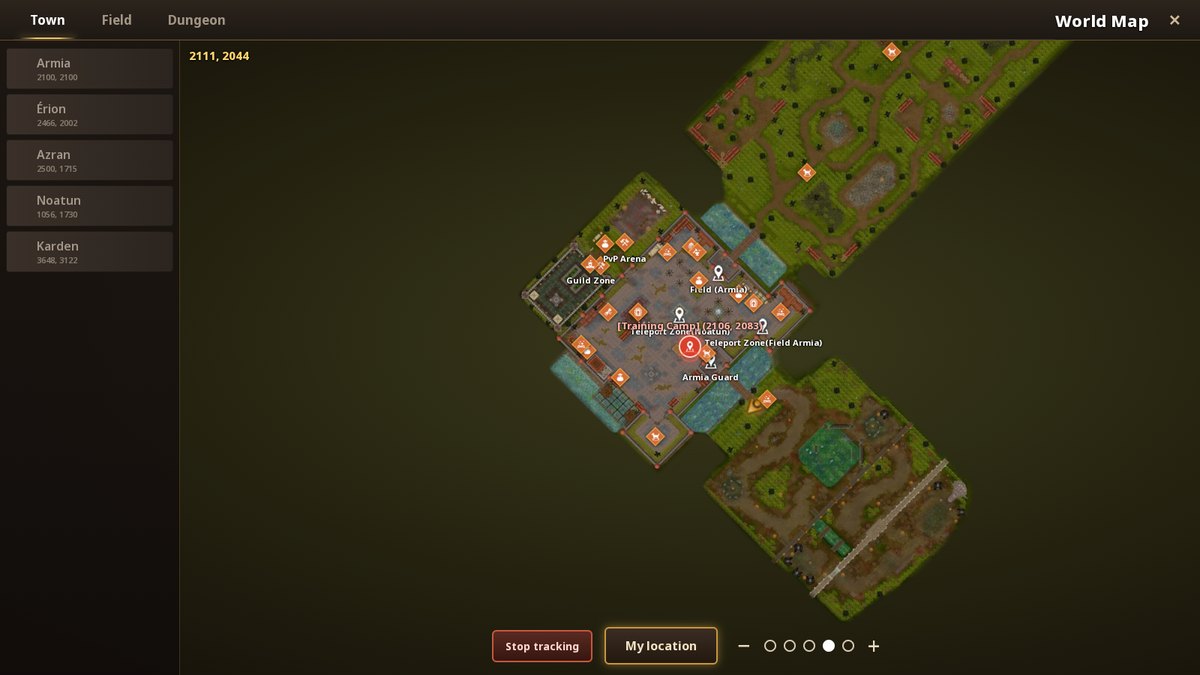
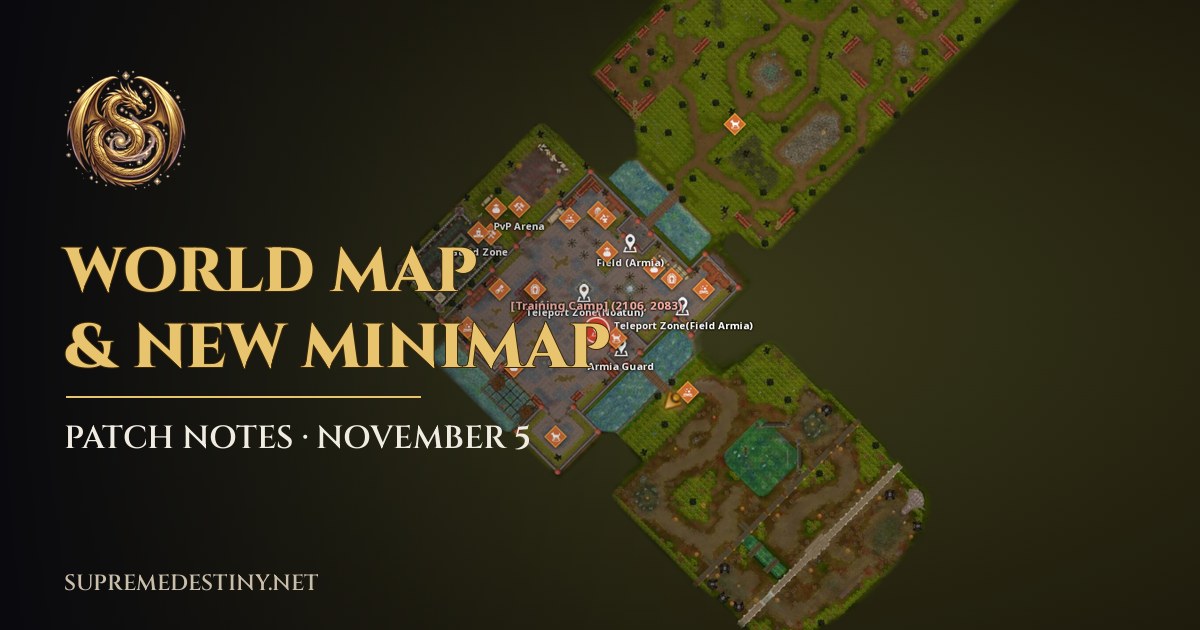
The new World Map (PC). Press M or open MENU > Map.
- Full-screen map in the style of the official mobile game, rotated like the in-game camera
- Town / Field / Dungeon tabs with a list of places: tap one to jump there
- Drag, mouse wheel or pinch to zoom (5 levels) and a My location button
- Your position and facing arrow, plus coordinates
- NPCs, teleports and dungeon entrances with an icon per type (merchant, blacksmith, cargo guard, skill master, mount...). Tap an icon for its name and coordinates
- Place names follow your game language (English or Portuguese)
New Minimap
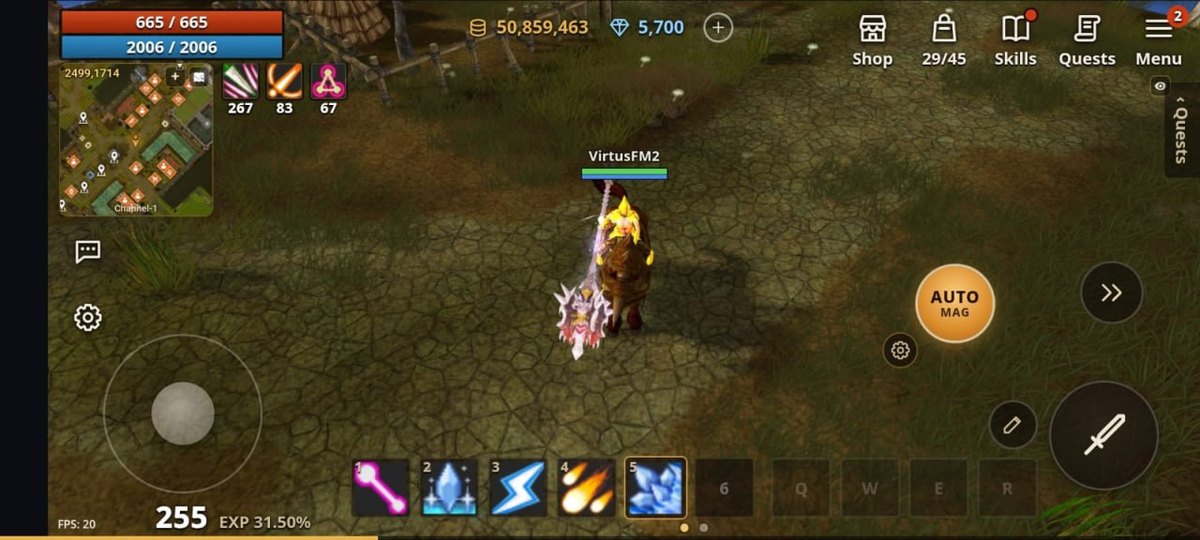
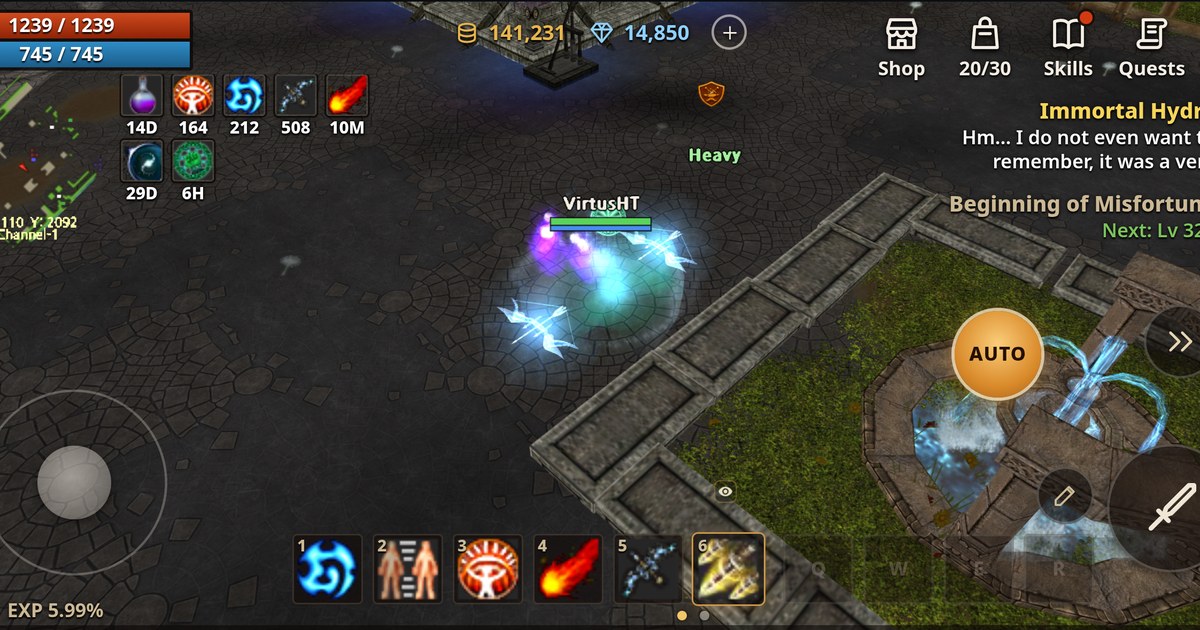
The new minimap on mobile, right under your HP/MP.
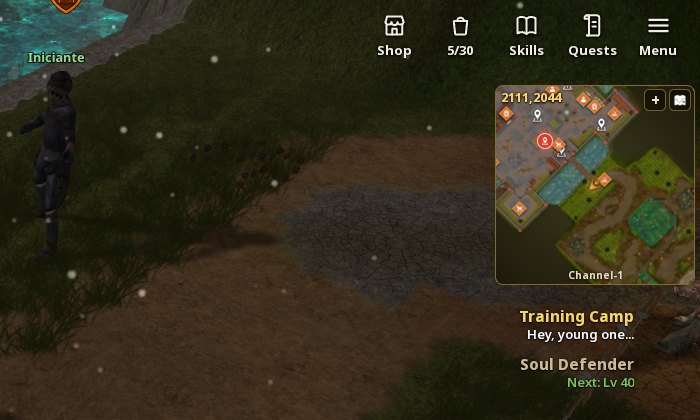
On PC it sits in the top-right corner, with your quests right below it.
- The old diamond is gone: the new minimap uses the same artwork as the World Map, with your arrow in the middle
- Nearby NPC and teleport icons, your coordinates and the channel
- + button for 3 zoom levels and a button to open the World Map. Tapping the minimap opens it too
- The M key cycles minimap > World Map > hidden, like before
Track a Monster or a Quest
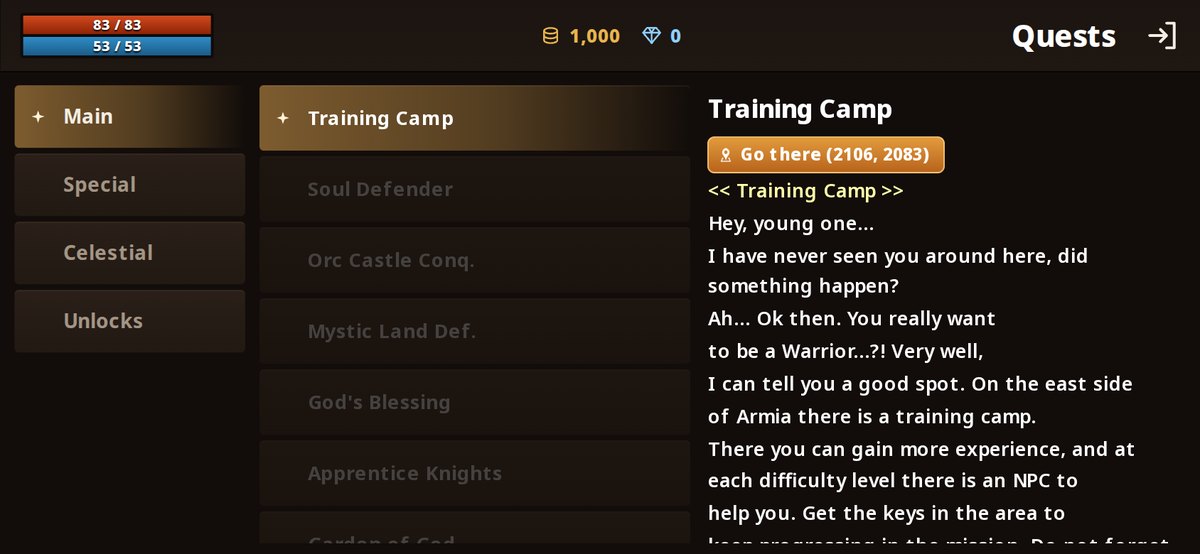
Quests with a location now have a Go there button.
- In the Droplist, monsters with a spawn point have a pin button: it marks the spot on the World Map
- In the Quests window, any quest with an X/Y location gets a Go there button
- While tracking, the minimap shows the pin when it is close, or an arrow on its edge pointing the way with the distance
- If the target is in another region (another island or a dungeon), the map tells you to use a teleport
Mobile
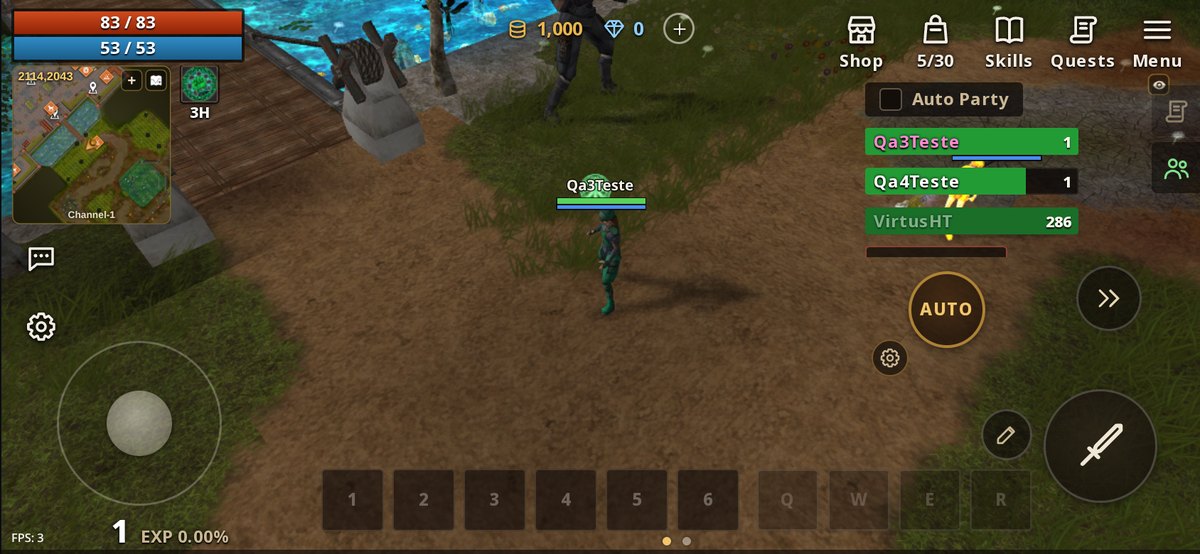
Your party now lives on the right side, switched with the quest tracker.
- Party panel moved off the joystick: icons on the right edge switch between your quests and your party (tap the active icon to hide it)
- Tapping a player now selects them, and the player menu (trade, party, guild) stays open
- Item messages in chat (like Aylin's success/failure) now show the item icon and the +refine
- Fixed an invisible wall when walking back from the Training Camp bridge with the joystick
Connection
- Reconnecting in the browser and on mobile now works like on PC, and the reconnect screen disappears as soon as your connection is back
- Reloading for a new version no longer shows "Previous connection ended": the game logs you back in automatically
- Reconnect messages now follow your game language
Vote and Get Rewarded
- New Vote button in the MENU: vote for Supreme Destiny on TopIdle with your account already filled in
- Each vote gives 2,000 donate during the beta, credited automatically
Server
- Checking a character's info (/Name) now shows Citizenship and Fame in your language